Lucia asks for help after her aunt Lorena’s husband loses his job. The first transfer is $5,000. You can make it from Jason’s phone as soon as the request appears. There is no meeting point to drive to.
Open the request
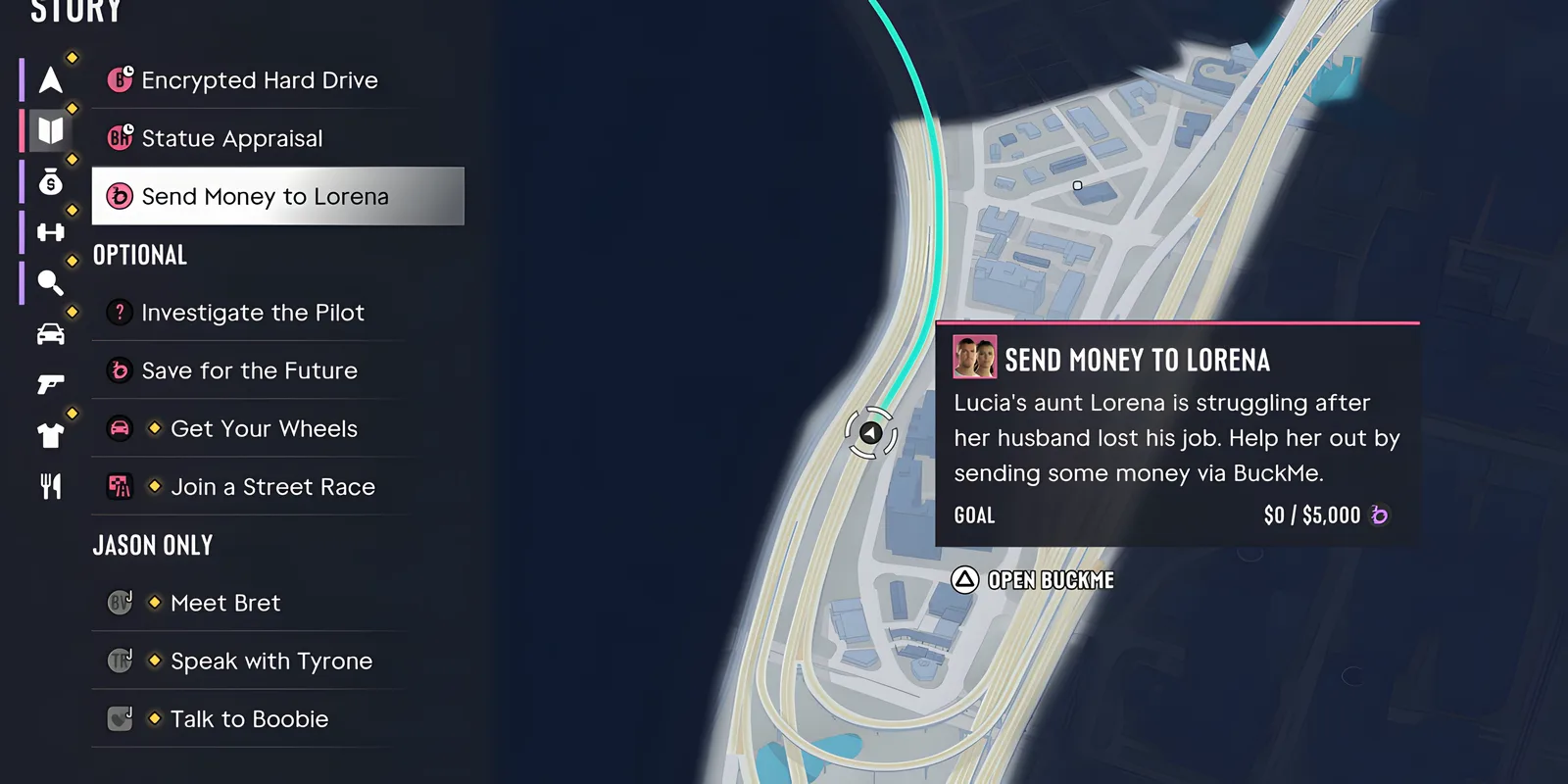
Read Lucia’s message, then open the map in the pause menu. Under Story, select Send Money to Lorena. Check the goal on the right. On PlayStation, press Triangle at the Open BuckMe prompt, or open the purple BuckMe app on your phone.
Pay Lorena from Checking
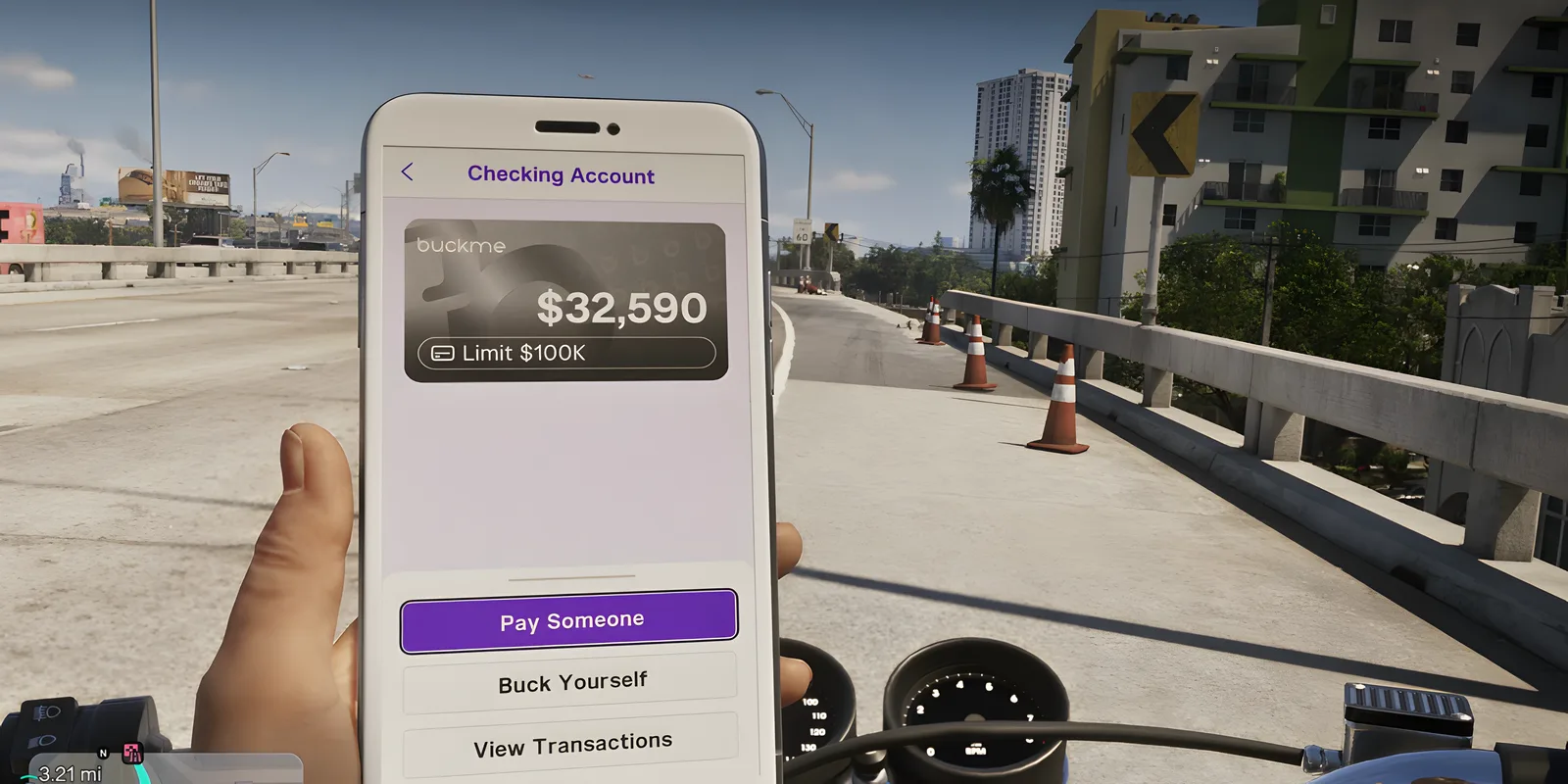
Open Checking Account → Pay Someone. Pick Lorena from the suggested contacts and check the amount before confirming with Buck ’Em. The nearby Buck Yourself button moves money between your own accounts. It won’t send the payment to Lorena.
Check the receipt
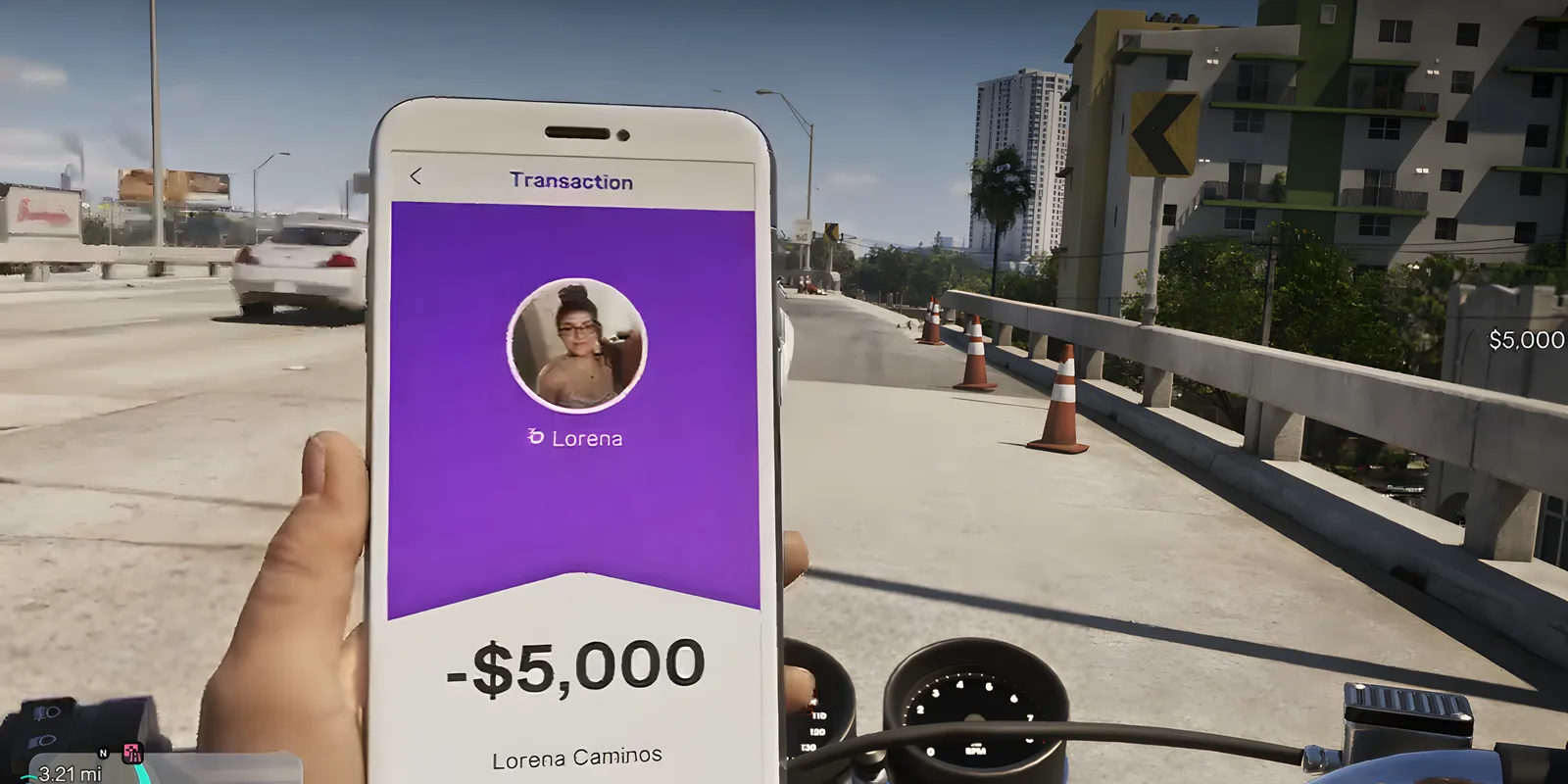
The transaction screen should show −$5,000 and the recipient Lorena Caminos. That debit confirms your first transfer. If the later objective Send More Money to Lorena appears in your journal, open that entry to check its own target.
Gameplay frames from the launch broadcast, via GTA6 Heists.