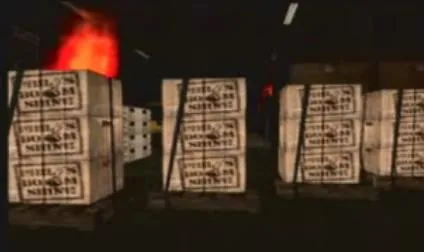
Save Phil’s boomshine in Boomshine Blowout. Use the forklift to load four crates while fire and falling debris change the warehouse route.
- Guide number
- 5 of 59
- Contact
- Phil Cassidy
- Starting location
- Phil's Depot, Viceport
- Mission type
- Story mission
Mission walkthrough
-
Position the truck
Take Phil to the warehouse and park the truck around the back as instructed. Enter the forklift after the setup. The cargo has to reach this truck; driving crates toward the street or a different exit wastes the limited time.
-
Lift the first crate cleanly
Approach a crate squarely with the forks lowered. Slide underneath, raise the load enough to travel and reverse into open space before turning. At the truck, align the forks with the loading area and follow the unloading prompt.
-
Adapt after every delivery
Collect all four crates, returning to the truck after each pickup. Falling debris blocks additional routes as the fire develops. Look ahead before committing to an aisle, and use the newly open path around obstacles rather than repeatedly pushing into rubble.
-
Keep corrections small
The forklift loses time when the crate catches a wall or the vehicle turns before the load is clear. Back away, straighten up and make one controlled approach. After the last crate registers on the truck, the rescue is complete.
Key point
The warehouse layout changes during the mission. Reusing the first route without checking for debris is a common reason to run out of time.